
TONE3000’s free NAM A2 plugin changes guitar tone discovery inside the DAW because it removes the old gap between finding a capture online and actually playing it in a session. Instead of searching a website, downloading a NAM file, unzipping it, organizing folders, loading a separate player, adding an impulse response loader, and repeating the process for every new tone, the official TONE3000 Plugin brings browsing, loading, chaining, stereo routing, IRs, and NAM A2 processing into one plugin or standalone app.
TONE3000 announced the free NAM A2 plugin and standalone app on September 1, 2026. The company says it lets guitarists and bassists browse hundreds of thousands of NAM captures and impulse responses directly inside a DAW or standalone app. MusicRadar’s Jonathan Horsley covered the release on September 3, 2026, reporting that the plugin gives players access to TONE3000’s large community library of NAM A2 captures and IRs without needing a third-party NAM player. The release builds on NAM Architecture 2, which TONE3000 launched on June 2, 2026 in partnership with Neural Amp Modeler creator Steve Atkinson.
For RobSonic readers, the important story is not only that another free amp plugin exists. The deeper shift is that guitar tone discovery can now behave more like browsing presets, building effects chains, and testing production ideas in real time, while still drawing from community-made captures of real amps, pedals, cabinets, rigs, and outboard gear.
Why NAM Needed A Smoother Front Door
Neural Amp Modeler has earned attention because it lets players capture the sound and feel of real guitar and bass gear. The problem was friction. A great capture was only useful if the user could find it, download it, manage it, load it, pair it with the right IR, and remember where it lived on the computer. For experienced users, that workflow was manageable. For new guitarists, producers, and songwriters, it could feel like a technical chore before the first chord even rang out.
TONE3000 says the plugin was designed to eliminate those steps. The TONE3000 Plugin guide explains that users can browse and load tones directly inside the plugin without downloading and managing files locally. It also supports local files and offline use, which matters for producers who already keep their own .nam and IR libraries.
That combination is powerful. The plugin does not force users into only one workflow. A beginner can browse trending tones, sign in, and load an Amp + Cab quickly. A more advanced user can drag in local A2 architecture .nam files, IR .wav files, or folders. The same tool supports quick discovery and deeper file-based control.
That is why the release matters. It makes NAM A2 feel less like a file format and more like a normal part of recording guitar.
How The Plugin Turns Tone Browsing Into A DAW Workflow
The biggest change is location. TONE3000’s library no longer sits outside the production environment. The official plugin page says the software works as VST3, AU, AAX, CLAP, LV2, and standalone across macOS, Windows, and Linux. TONE3000 also lists major DAW compatibility, including Ableton Live, Logic Pro, Pro Tools, FL Studio, Cubase, Nuendo, Studio One, Reaper, Bitwig Studio, GarageBand, Luna, Cakewalk, Reason, Ardour, and openDAW.
That matters because guitar tone decisions rarely happen in isolation. A high-gain amp capture may sound huge alone and too dense in the mix. A clean amp may sound ordinary by itself but perfect once the bass, drums, and vocal enter. A bass amp capture may need a cab IR, EQ, and gain trim before it supports the track. Tone discovery belongs inside the arrangement.
With the TONE3000 Plugin, producers can search and load captures while the session plays. A guitarist can audition amp-and-cab tones against drums. A bassist can compare drive levels against the kick. A producer can stack a pedal capture before an amp capture and hear whether the part cuts through. That makes tone browsing part of production rather than a separate research task.
For home-studio users, this is the real workflow improvement. The tone library becomes available at the moment the song needs a decision.
Why Chains Make Captures Feel Like Complete Rigs
A single NAM capture can sound excellent, but a finished guitar tone usually comes from a rig. A pedal feeds an amp. The amp hits a cabinet. A mic or IR shapes the speaker response. EQ fixes the mix position. Gain staging decides whether the model reacts naturally. Sometimes a boost sits before a high-gain amp. Sometimes a cabinet IR changes everything.
TONE3000’s Chains feature addresses that. The launch post says Chains can stack unlimited NAM A2 captures and IRs in any order to build complete signal paths. The GitHub project page describes the plugin as a JUCE-based audio plugin that loads NAM captures and IRs from TONE3000, supports multiple NAM and IR blocks, per-block EQ and gain/mix, drag-to-reorder behavior, dual stereo chains, undo/redo, and presets.
MusicRadar’s coverage framed this as a major usability change. Instead of treating captures like isolated files, the plugin lets players build full paths inside one interface. That is especially useful for producers who want to test combinations quickly: pedal into amp, amp into cabinet IR, boost before high gain, or a dual-chain stereo setup.
This connects naturally with RobSonic’s creative effects chains guide, because modern guitar production is rarely one sound source. It is signal-flow design. TONE3000’s plugin brings that chain logic into the NAM capture world.
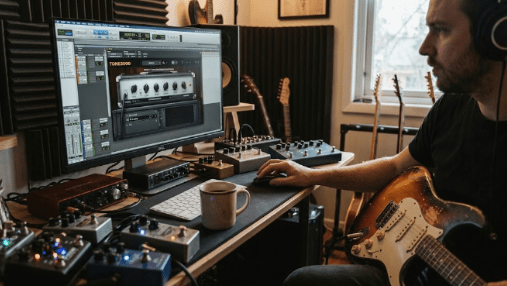
Why Stereo, Dual Chain, Spread, And Align Matter
Guitar tone discovery is not only about amp flavor. It is also about how a part occupies stereo space. TONE3000 highlights stereo input, multi-core stereo processing, auto-align, auto-balance, dual-chain routing, branching, panning, and Spread. MusicRadar also noted that users can create stereo sounds, run two chains at once, pan them, and use Spread to widen a mono signal without building a separate stereo chain.
Those features matter because guitar and bass tracks often need width decisions early. A double-tracked rhythm part might need two complementary tones. A lead may need focus rather than width. A bass may need a central clean path plus a dirt path. A producer may want a mono amp capture widened subtly without creating phase problems.
Dual chains also support production experiments. One side can run a cleaner amp capture while the other carries a driven pedal-and-amp chain. A bass track can keep a clear fundamental on one path and grit on another. A guitar hook can use two different cabinet IRs for width. Those choices are easier when the signal path lives inside one plugin rather than several disconnected inserts.
The result is more than convenience. Stereo-aware tone browsing encourages producers to judge guitar tone in the same space where the mix will live.
Why Calibration Changes The Feel Of Captures
NAM captures depend heavily on input level. Hit the model too softly, and the virtual amp may not drive the way the original capture intended. Hit it too hard, and the model may distort or compress differently than expected. The TONE3000 Plugin guide makes this clear: calibration matches the interface or DAW level to the reference level used during capture, so the model responds correctly.
This is a subtle but important feature. Many guitarists judge amp plugins by tone, but feel often comes from gain staging. The pick attack, breakup point, low-end compression, and touch response can change if the input level is wrong. A great capture can feel disappointing when the interface gain does not match the capture’s expectation.
TONE3000’s calibration system gives users a direct way to solve that problem. The guide recommends enabling Calibration in Plugin Settings and entering the dBu level that matches the DAW’s maximum digital level. It gives typical values such as +12 dBu for pro gear and +4 dBu for semi-pro gear.
For producers, this makes tone discovery more reliable. You are not only browsing more sounds. You are loading them closer to the way their creators meant them to react.
How NAM A2 Changes The Larger Capture Ecosystem
The plugin matters because it is tied to NAM A2, not only to a nicer browser. On June 2, 2026, TONE3000 announced NAM Architecture 2 as the next generation of Neural Amp Modeler, developed with Steve Atkinson. TONE3000 says A2 lets users create neural captures of amps, guitar and bass pedals, outboard gear, and full signal chains. The company also says A2 improves accuracy and efficiency compared with the earlier A1 architecture.
A September 9, 2026 TONE3000 engineering post, NAM A2: The Team Behind The Technology, adds useful context. It names Stanley Vergilis, Co-Founder and CEO of TONE3000; Woodbury “Woody” Shortridge, Co-Founder and CTO; João Santos, Research Scientist; and Steve Atkinson, creator of Neural Amp Modeler. In that article, TONE3000 says the platform had reached about half a million captures and 6 million downloads.
That scale matters. A plugin connected to a small static preset bank is one thing. A plugin connected to a large community library is different. Every new capture can become another tone to test inside the DAW. The catalog is not limited to one company’s amp list or one paid expansion cycle.
Tone discovery becomes community-driven, searchable, and immediately playable.
Why Open Source Changes The Trust Equation
TONE3000 repeatedly emphasizes that the modeling technology is open source and that the plugin is open source. The official GitHub repository says the TONE3000 Plugin is a JUCE-based plugin and standalone app that loads NAM captures and IRs straight from TONE3000. It also notes that NAM processing comes from NeuralAmpModelerCore, resampling from AudioDSPTools, and tone browsing/loading from the TONE3000 API.
Open source does not automatically make every plugin better, but it does change the trust equation. Developers can inspect how the tool is built. Advanced users can follow progress. Other builders can learn from the implementation. Hardware and software companies can see how A2 support fits into an ecosystem rather than a closed preset marketplace.
That matters in guitar tone because players often worry about lock-in. A capture library can lose value if it only works in one company’s closed environment. TONE3000’s pitch is different: NAM files should behave more like portable tone assets, closer to IRs or MIDI files than locked presets.
For producers, that means a tone discovered today may have a better chance of traveling across software and hardware tomorrow. That is a major reason the plugin launch feels bigger than a normal amp-sim release.
Why The Plugin Still Needs Careful Source Judgment
A huge tone library creates freedom, but it also creates browsing overload. More captures do not automatically mean better guitar parts. Producers still need to judge noise, gain staging, pick response, low-end buildup, cab choice, phase, stereo width, and mix position. A tone that sounds impressive alone may fail once drums, bass, synths, and vocals enter.
TONE3000’s categories help: amp + cab, amp head, cabinet, pedal, outboard, spaces, experimental, and more. Still, producers should search with a musical role in mind. A chorus rhythm guitar needs a different tone than a verse texture. A bass DI needs a different chain than a distorted rock bass blend. A clean part may need less gain and more transient clarity. A shoegaze layer may need width and haze. A tight metal rhythm track may need less low end than the soloed sound suggests.
The best use of the plugin is not endless scrolling. It is targeted discovery. Find a capture that fits the arrangement, then shape it with calibration, chain order, EQ, IR choice, stereo routing, and gain control.
That keeps tone browsing productive instead of turning it into another distraction.
How Guitarists Can Use It In A Real Session
The TONE3000 Plugin works best when the player treats it like a living rig rather than a preset vending machine. Start with the part, then choose the tone. A muted rhythm line, open chord texture, lead melody, bass DI, or reamped guitar track will all need different decisions.
A practical workflow could look like this:
- Insert TONE3000 on a guitar or bass DI track, or launch it standalone for practice.
- Set the interface input level cleanly before judging any capture.
- Load a complete Amp + Cab tone first, then compare separate amp, pedal, and IR combinations.
- Use Calibration when the capture response feels too soft, too stiff, or too distorted.
- Build Chains gradually instead of stacking captures until the sound becomes cloudy.
- Try Dual Chain and Spread only after the mono tone works in the mix.
- Save favorites and export or document settings once a track-specific tone works.
This workflow keeps the plugin tied to production. The goal is not to collect the most captures. The goal is to find the tone that helps the part speak.
What Producers Should Watch Before Depending On It
The TONE3000 Plugin is free, but users should understand a few limits. The guide says the plugin runs NAM A2 captures, including A2-Full and A2-Lite, plus IRs. It also notes that files from the legacy NAM Architecture 1 cannot be loaded. TONE3000’s complete A2 guide says users can still access A1 models on the website, but the new plugin workflow centers on A2.
Account behavior also matters. The guide says users can browse Trending while signed out, but loading a tone requires a free TONE3000 account. Offline use is available after tones are loaded or when using local files, but new tone discovery depends on an internet connection. Producers who work on offline studio machines should plan ahead.
CPU and sample rate also deserve attention. The guide says the plugin runs at any sample rate but is lightest at 48 kHz, with other rates requiring resampling. Large Chains, stereo processing, oversampling, and multiple plugin instances can all increase CPU load, especially in dense sessions.
The best user is someone who wants to explore community-made guitar and bass tones quickly, not someone who wants a tiny, fixed amp-sim plugin with only a few factory presets.
Why TONE3000 Changes Guitar Tone Discovery Inside The DAW
TONE3000’s free NAM A2 plugin changes guitar tone discovery because it brings the capture library, player, IR workflow, signal-chain builder, stereo tools, calibration, local file support, favorites, and standalone use into one place. The old NAM workflow often required file management before music. The new workflow puts tone search inside the DAW, where producers can judge it against the song.
For RobSonic readers, the practical value is clear. Guitarists can try community captures faster. Bassists can test amp and drive chains in context. Producers can reamp DI tracks without leaving the session. Mixers can compare cabinet IRs, stereo paths, and capture combinations inside one plugin. Sound designers can explore pedals, outboard gear, acoustic spaces, and experimental captures alongside normal amp tones.
The strongest way to use the plugin is to stay musical. Browse with a goal. Calibrate the input. Build chains slowly. Keep the tone that helps the arrangement. Avoid judging captures in isolation. TONE3000 makes discovery faster, but the producer still decides what belongs in the track. That balance is exactly why the free NAM A2 plugin feels important: it turns an open community tone library into a usable production instrument inside the DAW.