
Every producer faces a creative block at some point. Your music might start to sound too familiar. It’s hard to find new ideas.
The solution is simple: resample and re-slice your own audio. It’s not about using new plugins. It’s about finding hidden gems in your work.
Resampling turns a loop or melody into something new. It creates textures, rhythms, and glitches that are uniquely yours. This method is all about sonic recycling.
Resampling your tracks can give you a fresh view. It turns the familiar into something unexpected. This is a direct way to innovate.
Learning a few resample tricks can open up new possibilities. Tools like a granulizer can break down sound into tiny pieces. Creative time-stretch methods can change rhythms in ways you never thought possible. Let’s dive into how to use this technique to your advantage.
Printing FX Chains and Re‑Editing Audio
Resampling is more than just recording. It’s about making your FX chain permanent and then editing it. This process, called printing, turns a temporary effect into a lasting sound file. You can then cut, reverse, and rearrange this new audio without any CPU load.
Think of your effects chain as a recipe. Applying distortion, then a wild reverb, and a delay creates a complex sound. Printing this chain captures that specific moment. The real magic begins when you treat this printed audio as brand-new raw material.
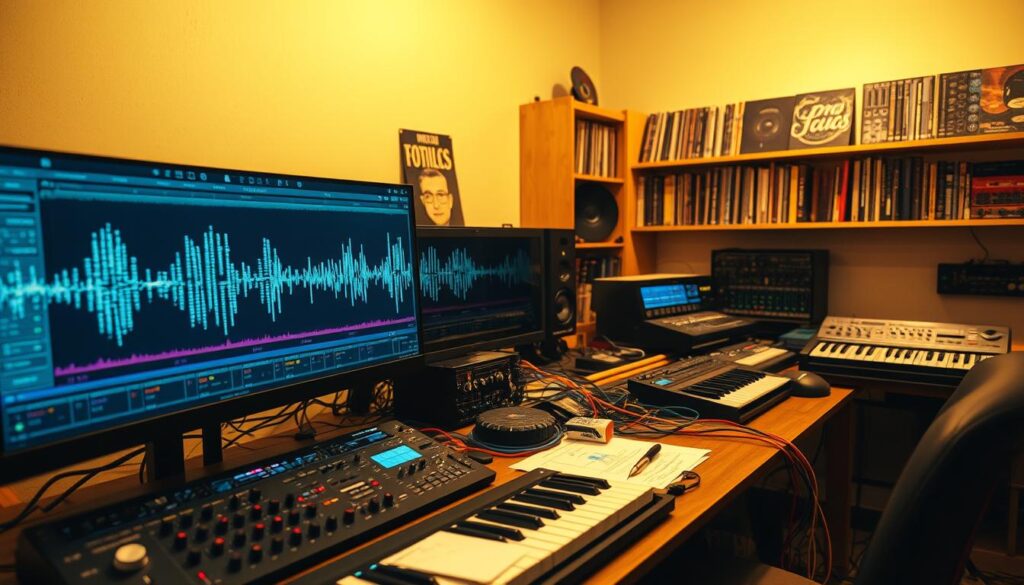
Start with a simple loop or a one-shot sound. Build an aggressive chain of plugins. Go beyond the usual. Try extreme EQ to carve out only the harshest frequencies. Follow it with a creative reverb set to 100% wet for a washed-out texture.
Once your chain is buzzing, resample it. Route the output to a new audio track and record. Now you have a frozen snapshot of your creativity. This is where classic resample tricks come into play.
Your new audio file is ripe for manipulation. Slice it to create buffer repeats and digital stutters. Apply a tape stop effect for a sudden pitch dive. A bitcrushing plugin can add a gritty, digital texture. These are the building blocks of glitch vocabulary.
Don’t be afraid to re-edit aggressively. Chop the printed audio into tiny fragments. Rearrange them out of order. This re-editing phase often reveals rhythms and melodies hidden in the original effect tail. It breaks the beat block by forcing you to work with unfamiliar shapes.
Another powerful tool is time-stretch. After re-editing your printed audio, apply a radical time-stretch algorithm. Stretching a glitchy snippet can morph it into a droning atmosphere. Shrinking it can create tight, percussive hits.
Here is a simple workflow to try:
- Select a short melodic or rhythmic clip.
- Apply a unique FX chain (e.g., phaser > frequency shifter > granular delay).
- Print (resample) the output to a new track.
- Import the new file and slice it at transients or randomly.
- Rearrange the slices and apply further processing like gating or filtering.
This method turns a static sound into a dynamic, evolving element. It leverages the power of your plugins twice: once for the initial effect and again during the re-edit. The final sound is uniquely yours, impossible to recreate with a standard preset.
Stutter/Glitch Patterns and Gate Tricks
Gate effects and granular processing open up a new world in sound design. They go beyond simple distortion. They create a controlled chaos that adds rhythm and personality to any track.
Stutter patterns chop audio into quick, rhythmic bursts. A noise gate or tremolo effect is key. You set the gate to open and close at a specific tempo.
This creates a chopping effect. For more complex patterns, automate the gate’s threshold or side-chain it to a drum hit. The result is audio that pulses and stutters in sync with your beat.

Glitch vocabulary expands your creative palette. Embrace artifacts like buffer repeats, tape stops, and bitcrushing. Sample-rate reduction and zipper noise are also powerful tools.
Each effect introduces a specific digital character. Buffer repeats create a looping, skipping CD effect. Tape stops simulate a slowing reel-to-reel machine.
Bitcrushing reduces audio bit depth for a gritty, digital sound. These elements form the core of intentional glitching. They are your building blocks for sonic disruption.
The granulizer is a specialized tool for advanced glitch textures. It slices sound into tiny grains, typically 10 to 100 milliseconds long. You can then rearrange, pitch, and repeat these grains.
This process creates complex, shimmering, or chaotic soundscapes. It is perfect for transforming a simple vocal or synth pad into something entirely new. The granulizer provides surgical control over digital fragmentation.
For inspiration, explore audio glitching and FX. Listen to how producers use these effects not as mistakes, but as features. Intentional glitching with stuttering and feedback loops can become a track’s main hook.
Combine gate tricks with time-stretch artifacts for deeper results. When you stretch audio, it introduces pitch variations and temporal distortions. These artifacts can enhance a stutter pattern by adding unpredictable pitch bends.
Here are practical tips for setting up your effects:
- Start with a fast gate rate (1/16th or 1/32nd notes) for a classic stutter.
- Use a granulizer with a high density and random pitch for glitch beds.
- Apply a drastic time-stretch to a short sound, then resample the weird artifacts.
- Layer a clean gate effect with a bitcrushed version for texture.
Mastering these techniques gives you the power to turn any sound source into rhythmic fuel. The goal is not just to break audio, but to rebuild it with new, compelling rhythms and textures.
Granular & Reverse for Atmospheres
The secret to creating ethereal atmospheres often lies in how you break down sounds. Use granular synthesis and resample tricks to reassemble them.
These methods take you beyond static pads. They create soundscapes that evolve and feel alive.
Granular synthesis breaks sounds into tiny pieces called “grains.” These grains are usually 10 to 100 milliseconds long. A granulizer processor then rearranges these grains.
This turns your original audio into something new. A simple piano chord can become a shimmering pad. A vocal snippet can turn into a haunting drone.
For a deeper look at granular synthesis, check out detailed resources. They explain the science and art behind it.
Reverse effects complement granular synthesis well. Reversing a granular texture adds a mystical quality. It feels inherently atmospheric.
Here’s a practical workflow to combine these tools:
- Start with a Source: Pick a rich sound—a sustained instrument, field recording, or noise.
- Process with a Granulizer: Use a medium grain size and high density. Randomize grain position and pitch for a complex layer.
- Apply Reverse: Reverse the granular texture. Notice how it becomes a smooth swell, great for background ambience.
- Layer and Resample: Use resample tricks to layer and resample. This creates an even more abstract sound.
This method is powerful because it involves destruction and creation. You’re not just stretching sound. You’re building a unique sonic ecosystem from its parts.
Mastering your granulizer and using reverse effects opens a direct path to original atmospheres. This is perfect for any track.
Creative Time‑Stretch Artifacts
Time-stretching audio is more than fixing mistakes. It opens up new sounds. When you change a sample’s length without changing its pitch, the software creates new sounds. These new sounds can be the base of your music.
These digital byproducts are not errors. They are textures. You might hear slight pitch changes, metallic sounds, or grainy noise. Pushing the limits can reveal even more unique sounds.
Extreme time-stretching is key. Slowing down a short sound to a long one creates a new, ethereal sound. Speeding up a long sound makes it frantic and digital.
Granular synthesis is all about this. It breaks down audio into tiny pieces and rearranges them. This is like a complex time-stretch. Changing the grain size and spread changes the sound texture.
Catching these mutated sounds is powerful. Save your time-stretched audio as a new file. Then, you can add more effects or time-stretch it again.
To use these effects well, play with your DAW’s settings. Different settings give different sounds. Listen closely as you adjust things like formant preservation and grain size.
- Formant Preservation: Turning this off can create robotic, alien-like vocal effects.
- Grain Size/Length: Smaller grains add grit and digital haze; larger grains smooth the sound but may cause clicks.
- Transient Handling: Aggressive settings can smear drums into new textures.
The table below shows common artifacts and how to use them.
| Artifact Type | What It Sounds Like | Creative Use Case |
|---|---|---|
| Pitch Shifting & Wobbles | A subtle, chorusing detune or a slow, warbling pitch bend. | Add organic movement to static pads or vocals. Perfect for dreamy intros. |
| Temporal Warping | Stretched transients that sound smeared or blurred. | Transform sharp percussion into evolving drones or background beds. |
| Digital Glitches & Clicks | Sharp, randomized clicks and bit-crushed noise. | Layer under drums for added grit, or use as rhythmic elements themselves. |
| Harmonic Smearing | Notes blur together, losing definition but gaining richness. | Create dense, atmospheric foundations from simple chord progressions. |
Try using time-stretch on non-musical sounds. A stretched recording of rain or street noise is great for ambient tracks. Embrace the imperfections. What starts as an error can become your track’s most memorable part.
Mastering these resample tricks creates a unique sound palette. You’re not just using presets. You’re designing sounds from scratch, using technology’s quirks as your tool.
Building a Personal SFX Pack from Your Track
Your finished tracks are full of unique sound effects waiting to be discovered. The resampling techniques you’ve learned are perfect for finding these gems. Process these snippets further to create a custom library.
Look through your recordings for special moments. Catch error states like glitching files or buffer underruns. Record the unique sounds of old media, like MiniDisc skips or vinyl crackle.
Use samples from nature or everyday objects as instruments. Treat a field recording with a granulizer to turn rain into a shimmering pad. This way, you build a unique sound palette.
Isolate percussive hits, atmospheric textures, or glitch stutters from your project. Apply radical time-stretch to reveal hidden harmonics. Then, chop and rearrange the results.
Organize these sounds into labeled folders for drums, impacts, atmospheres, and transitions. This personal SFX pack becomes your secret weapon. It ensures your future projects have a consistent, original sound.
The process turns your resampling workflow into a sustainable design system. Start building your library today.