
Roland Melody Flip makes AI melody tools feel more like idea browsers than auto-song machines because it does not present itself as a prompt box that spits out a finished track. It gives producers a library of musical directions, analyzes reference audio for musical context, generates connected melody, chord, bass, and drum ideas, and then expects the user to choose, export, edit, arrange, sound-design, and finish the result inside a DAW. For RobSonic readers who work with beats, demos, song sketches, MIDI editing, Roland Cloud tools, and AI-assisted music workflows, Melody Flip matters because it keeps the producer in the decision loop.
Roland announced the public release of Melody Flip in a September 3, 2026 press release from Los Angeles. The company describes it as an AI-assisted melody-generation tool created through a collaboration between Roland and Sony Computer Science Laboratories, Inc. Roland says the software is available through Roland Cloud Manager version 3.1.23 or later, supports VST3 and AU on macOS 14, 15, and 26 plus Windows 11, and comes with every Roland Cloud membership level, including the free tier. Sonic State covered Roland’s Melody Flip release on September 4, while The Verge framed it as Roland entering generative AI music with a tool that is not simply a “push button, get song” product.
That framing is important. Melody Flip is still an AI-assisted music tool, but its strongest idea is browsing and developing musical possibilities, not outsourcing a finished record.
Why “Idea Browser” Fits Better Than “Song Generator”
Many AI music products compete on the promise of instant output. Type a prompt, choose a style, and receive a finished audio result. That can be impressive, but it also creates a creative distance between the producer and the song. The user may get a track, but they may not get enough editable material, MIDI structure, or musical agency to develop it like a normal production.
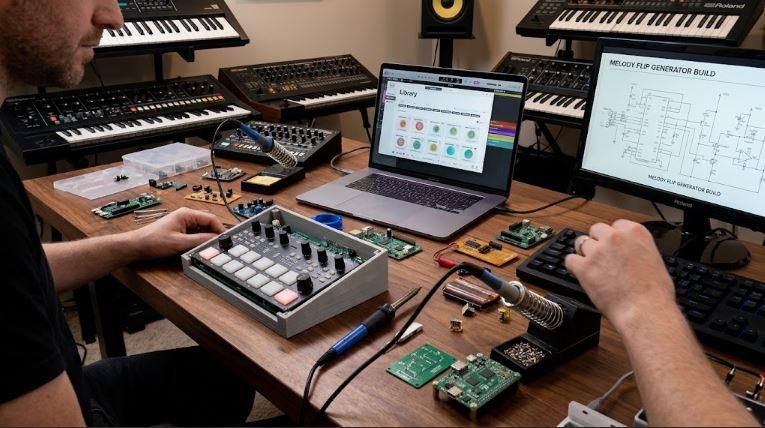
Melody Flip works differently. Roland’s product page says the tool helps users discover new melodic ideas based on original audio or a selected Palette. Each Palette acts as a ready-to-explore musical style pattern made from four connected parts: melody, chords, bass, and drums. The producer chooses a Palette, generates a melody, tries variations, and exports the melody plus supporting parts as audio or MIDI.
That makes the software feel more like an idea browser. A producer can start from a musical direction, audition related possibilities, keep what sparks something, and discard what does not. The output becomes a sketch, not a finished substitute for arrangement, sound selection, lyric writing, vocal production, mixing, or mastering.
For RobSonic readers, this distinction matters because a useful music tool should reduce blank-page friction without flattening the producer’s taste. Melody Flip gives options. The producer still has to turn those options into a track.
How Palettes Make AI Feel Less Like A Prompt Box
The Palette system is Melody Flip’s most important interface idea. Roland says Melody Flip includes over 250 Palettes across a wide range of genres and musical styles. Each Palette contains four connected parts: melody, chords, bass, and drums. Instead of asking the user to write a text prompt such as “make a futuristic pop hook with emotional chords,” the software asks them to browse musical directions and choose one that feels close to the idea.
This changes the creative psychology. Text prompts can push musicians into describing music from the outside. Palettes let them react by ear. A producer can browse styles, generate ideas, and judge the musical result in context. That feels closer to flipping through chord packs, MIDI packs, loop libraries, or synth presets, except Melody Flip generates connected musical parts from the selected direction.
Roland’s September 3 press release says these Palettes are meant to help users discover grooves and styles outside familiar habits. That matters because many producers get stuck repeating the same chord shapes, melodic ranges, and drum feels. A Palette can act like a controlled detour. It points the session somewhere new without pretending the software has solved the song.
The strongest use case is exploration. A Palette should not become the final identity of the track. It should help the producer find a door.
Why Reference Search Changes The Starting Point
Melody Flip has two ways to begin. A user can browse the Palette library directly, or they can import a track, loop, beat, or song idea. Roland says the software analyzes imported audio for structure, tempo, beat positions, key, chord progression, genre, mood, and related musical characteristics. Based on that analysis, Melody Flip recommends Palettes that match the musical character of the audio.
That matters because producers often begin with partial ideas. A beat may have drums but no top line. A loop may have mood but no chorus melody. A demo may have chords but no hook. A rough bounce may contain the emotional direction, but the producer may not know where to go next. Melody Flip’s reference workflow tries to turn that partial idea into a set of related musical options.
Roland says the tool does not copy the melody of the imported song. Instead, it uses analysis and reference points to suggest new directions. The press release adds that this feature uses research findings and technologies from Sony CSL’s Music Information Retrieval field.
For producers, that makes Reference Search more like context-aware browsing than direct imitation. The source tells Melody Flip where the session already lives. The software then helps the user search nearby musical territory.
How Sony CSL’s Research Gives The Tool A Different AI Role
Roland announced Melody Flip in March 2026 as a product powered by research from Sony Computer Science Laboratories, and the September release carried that collaboration into the public product. The official product page says Melody Flip combines Roland’s experience in instruments and production tools with Sony CSL’s music analysis research. The press release specifically connects the reference-audio feature to Music Information Retrieval, or MIR.
That technical context matters because the AI role is not only “generate music.” Melody Flip also analyzes structure, tempo, beat positions, key, chord progression, genre, and mood. In practical terms, the software uses AI-assisted analysis to understand the musical context before recommending Palettes and generating related ideas.
This makes the tool feel less like an isolated generator and more like a recommendation system for musical starting points. The user is not only receiving a melody. They are moving through a set of possible directions that connect to either a chosen Palette or an analyzed reference.
That approach fits the broader debate around AI music tools. Producers may feel more comfortable with AI when it helps organize, suggest, and extend ideas rather than claiming to replace the act of songwriting. Melody Flip leans into that safer, narrower role.
Why MIDI Export Keeps The Producer In Control
Melody Flip can export generated melodies and supporting chord, bass, and drum parts as audio or MIDI files. That export option is the feature that turns the tool from a novelty into a production workflow. MIDI keeps the idea editable. A producer can change notes, rewrite rhythm, adjust chord voicings, swap bass movement, replace drum sounds, quantize selectively, or send the same phrase into a completely different instrument.
The Verge’s coverage of Melody Flip also emphasized the DAW workflow, noting that the intended use appears to involve exporting MIDI into a DAW and pairing it with the producer’s own instruments. That matters because sound identity lives downstream of the generated phrase. A melody played by a stock sound can feel generic. The same MIDI through a custom synth, guitar instrument, sampler, vocal chop, or hardware rig can become personal.
This connects naturally with RobSonic’s bassline synthesis guide, because generated bass MIDI only becomes a finished bassline after sound design, envelope shaping, saturation, filter movement, groove editing, and mix decisions. Melody Flip can suggest a bass part, but the producer still decides how that bass speaks.
MIDI export is the difference between “here is a result” and “here is material you can develop.”
Why Melody, Chords, Bass, And Drums Need To Stay Connected
A melody rarely works alone. It needs harmonic context, rhythmic support, and a production frame. Melody Flip’s Palette structure addresses this by generating melody, chord, bass, and drum parts that work together as musical starting points. That is important because many melody generators produce toplines that may not sit naturally against a groove or chord progression.
Connected parts give the producer a sketch that can be judged as a musical idea. The melody can be tested against chords. The bass can show where the harmonic weight might sit. The drums can suggest a feel. Even if the producer deletes three of the four parts later, the first audition happens in context.
This is useful for beatmakers and songwriters who think quickly. A melody that sounds weak alone might make sense over the suggested chord part. A bassline might reveal a better direction than the generated melody. A drum part might show that the Palette’s groove does not fit the project. The value comes from hearing relationships.
That is why Melody Flip feels more like a browser than an auto-song machine. Browsing works when each option gives enough context to make a decision.
How It Helps Producers Escape Familiar Habits
Roland’s product page repeatedly frames Melody Flip as a tool for breaking out of familiar patterns. That is a real production problem. Producers often return to the same scale shapes, same chord progressions, same melodic ranges, same 808 rhythms, same four-bar loop structures, and same emotional tone. Familiar habits can become a signature, but they can also trap a session.
Melody Flip’s Palettes offer a way to audition directions the user might not have reached alone. A producer who usually writes dark minor loops can try a brighter Palette. A beatmaker stuck in one groove can test different drum and bass relationships. A songwriter with a chord loop can import it and let Reference Search suggest nearby options.
The tool does not automatically make the result original. Originality still comes from selection, editing, arrangement, lyrics, performance, sound design, and taste. Melody Flip can only supply a starting disturbance: a direction that interrupts habit.
That disturbance can be valuable. Sometimes one generated phrase is enough to make the producer rewrite the whole section.
Why Total Recall Limitations Matter
Melody Flip has a practical limitation that producers should not ignore. Roland’s support article dated September 4, 2026 says Melody Flip does not support total recall and recommends exporting any melody the user wants to keep each time it is created. The generated melody may reset when a project is saved and reloaded, when the operation screen switches, or when the plugin reloads, depending on the DAW.
That is not a small detail. In a normal plugin workflow, producers expect the session to reopen exactly as they left it. Melody Flip’s creative value depends on generating ideas, but those ideas must leave the plugin quickly if the user wants to preserve them. The safest workflow is to export MIDI or audio as soon as an idea matters.
This limitation also reinforces the “idea browser” framing. Melody Flip should be treated like a discovery tool, not a permanent composition container. Browse, generate, decide, export, and continue the work in the DAW.
For RobSonic readers, the rule is simple: never assume the generated phrase will be there tomorrow. Print or export the keeper.
Why Free-Tier Roland Cloud Access Lowers The Barrier
Melody Flip is included with all Roland Cloud membership levels, including the free tier, according to Roland’s product page. It requires Roland Cloud Manager version 3.1.23 or later. That makes the tool easier to try than many paid AI music products or subscription-only creative systems.
Free-tier access matters because AI music tools are still culturally sensitive. Producers may want to test whether the workflow supports creativity before adding another paid system. Melody Flip’s availability through Roland Cloud lets users experiment with Palettes, reference analysis, MIDI export, and DAW integration without needing to commit immediately to a premium plan.
The tradeoff is that users need Roland Cloud Manager and a compatible system. The product page lists VST3 and AU support for macOS 14, 15, and 26, plus Windows 11. Producers on older operating systems or unsupported DAWs should verify compatibility before building a workflow around it.
The barrier is low, but the setup still matters. AI-assisted tools only help when they fit smoothly into the producer’s actual DAW environment.
How Melody Flip Fits The Current AI Music Debate
Melody Flip arrives at a time when producers are watching AI enter nearly every part of music production: stem separation, mastering, vocal cleanup, loop generation, melody writing, prompt-based song generation, and sound design. That makes Roland’s framing important. The company says Melody Flip supports and amplifies human creativity rather than replacing artists, songwriters, and creators. It also aligns the tool with broader “AI For Music” principles.
That statement will not end the debate, and it should not. Producers still need to ask what data trained or informed a tool, what the software generates, what the user can edit, what rights apply to exported material, and how much authorship the tool shifts. Melody Flip’s narrower design helps because it focuses on MIDI/audio idea export rather than presenting itself as a final-song generator.
The strongest ethical and creative reading is practical. Use Melody Flip to find starting points, not to avoid musical judgment. Edit the MIDI. Change the chords. Rewrite the melody. Replace the drums. Sound-design the bass. Arrange the song. Make choices that only the producer can make.
AI-assisted idea browsing can support creativity when it leads to more human decisions, not fewer.
How Producers Can Use Melody Flip In A Real Session
Melody Flip will work best when producers treat it as an early-stage sketch partner. It should enter the workflow before the track hardens into a final arrangement. The best moment to use it may come when a loop feels promising but incomplete, when a chord idea needs a melody, or when a beat needs a new harmonic direction.
A practical workflow could look like this:
- Open Melody Flip in a compatible DAW and either import a rough audio idea or start from the Palette library.
- Use Reference Search when the existing track already has a strong mood, key, or groove.
- Browse Palettes when the session needs a new direction rather than a close match.
- Generate several melodies and supporting parts, then listen for one small idea worth developing.
- Export MIDI immediately when a phrase works, because total recall is not supported.
- Replace the generated sounds with your own instruments, samples, and effects.
- Edit the MIDI until the part feels intentional rather than simply generated.
This workflow keeps the producer in charge. Melody Flip can suggest directions, but the track becomes real when the user edits, sounds, arranges, and mixes the material.
What Producers Should Watch Before Depending On It
Melody Flip looks useful, but producers should understand its limits. First, it is not a full DAW, arranger, or finished-song engine. It generates ideas and supporting parts, then expects export into a production environment. Second, total recall is not supported, so users need to save useful ideas as MIDI or audio immediately. Third, the tool requires Roland Cloud Manager 3.1.23 or later and compatible macOS or Windows systems.
Producers should also avoid overvaluing the first generated idea. The software is designed for repeated exploration. Roland’s press release says creators can generate and explore ideas repeatedly, choosing the directions that resonate with their artistic direction. That implies auditioning, rejecting, and editing. A generated melody is not automatically good because it came from AI-assisted software.
The best buyer—or free-tier tester—is someone who wants help getting unstuck, not someone who wants to skip composition. Melody Flip is strongest when the producer already has taste, context, and a willingness to edit.
Used lazily, it can produce generic sketches. Used critically, it can reveal starting points that push a session forward.
Why Melody Flip Feels Like An Idea Browser
Roland Melody Flip feels like an idea browser because it gives producers musical directions to explore rather than finished songs to accept. Its Palettes organize melody, chords, bass, and drums into connected starting points. Its reference-audio analysis reads structure, tempo, beat positions, key, chord progression, genre, and mood to recommend related directions. Its export options turn generated parts into MIDI or audio that producers can shape in their own DAWs.
For RobSonic readers, the practical value is clear. Melody Flip can help producers escape blank-page loops, test melodic directions, find related chord and bass ideas, and move from inspiration to production faster. It does not replace the need for sound design, editing, arrangement, lyrics, performance, mixing, or taste. It simply adds a new way to search musical possibilities.
That is why the “idea browser” label matters. An auto-song machine asks the producer to accept an outcome. Melody Flip asks the producer to react to options. The difference is creative control. In the best workflow, AI helps the user find a door, but the producer still decides which room to build.