
Software Tools are easy to describe as new, but harder to evaluate as artistically meaningful. The topic’s reference to Roy Lichtenstein: Like New at the Whitney Museum gives producers a useful critical frame: not whether a tool feels impressive on first contact, but whether it helps reinterpret, restore, separate, reassemble, or annotate existing material with care. The supplied research does not include verified exhibition dates, wall text, or curatorial claims for the Whitney presentation, so this tutorial treats “Like New” as a cautious working idea rather than a factual report on the exhibition’s contents.
That caution matters because several major audio applications had already released their 2026 updates by November 7, 2026. These were not future products at that point. Universal Audio released LUNA 3.0 on September 15, 2026, with four- or six-stem separation, audio-to-MIDI conversion, lyric transcription, chord extraction powered by Moises, and a fast recording mode called LUNA Play, according to Universal Audio’s release. Avid released Pro Tools 2026.11 on November 5, 2026, adding AI-powered stem separation into up to six stems, MIDI Polyphonic Expression, and a new Extensions format for session-wide and third-party workflow tools, according to Avid’s announcement.
What Software Tools Changed In Late 2026
Software Tools As Reconstruction, Not Magic
The term Software Tools can sound neutral, yet the most visible 2026 features point toward a specific production habit: reconstruction. Stem separation takes a mixed recording and estimates parts such as vocals, drums, bass, guitar, keys, and other material. Chord extraction interprets harmonic information. Lyric transcription turns sung words into editable text. Audio-to-MIDI conversion translates performance data into notes that can trigger other instruments. None of these processes should be treated as perfect recovery. They are analytical guesses shaped by algorithms, source quality, and user decisions.
That is where the “Like New” frame becomes useful for DAW instruction. A separated vocal is not the original multitrack vocal. An extracted chord chart is not the composer’s notebook. A generated MIDI line is not the performance itself. These outputs can be valuable, but a producer should audition them as interpretations. In teaching sessions, I would ask students to label these tracks clearly: “extracted,” “transcribed,” “separated,” or “converted.” That language keeps the workflow honest and prevents a reconstructed file from being mistaken for primary source material.
Why Stem Separation Needs Critical Listening
LUNA and Pro Tools show why these Software Tools deserve both excitement and restraint. Six-stem separation can speed remix preparation, sample study, dialogue cleanup, arrangement analysis, and practice-track creation. It can also produce artifacts: watery cymbals, smeared consonants, ghosted harmonics, or low-end holes where instruments overlapped. The best workflow is to solo each stem, then audition it against the original mix at matched loudness. If the separated part changes the emotional timing of a vocal or removes transient detail from a drum groove, the producer should treat it as a sketch layer rather than a finished source.
A practical tutorial exercise is simple. Duplicate the original audio, run stem separation, phase-check the reconstructed blend against the source if the DAW allows it, then mute stems one by one to hear what the model assigned to each category. This teaches students that AI separation is not only a convenience feature. It is also a listening test.
How LUNA 3.0 Reframes The Fast DAW Sketch
From Recording Mode To Arrangement Evidence
LUNA 3.0’s feature set, as described in the research, sits between songwriting assistance and post-recording analysis. LUNA Play suggests a faster capture path, while chord extraction, lyric transcription, and audio-to-MIDI conversion turn a recorded idea into editable session data. For a producer, that means the first take can become a map: chords for harmonic checking, lyric text for revision, MIDI for doubling or sound replacement, and stems for arrangement inspection.
The risk is that speed can make weak decisions feel finished too early. A fast recording mode should not remove the pause where a producer asks whether the part communicates. My preferred teaching method is to separate capture from judgment. First, record without stopping. Second, let the DAW produce its analytical layers. Third, create a short written note inside the session: what came from the player, what came from the tool, and what still needs human review.
Audio-To-MIDI As A Sound Design Bridge
Audio-to-MIDI conversion is especially relevant for synthesis tutorials. A hummed bass line can become a MIDI trigger for a monosynth. A guitar phrase can drive a granular pad. A vocal contour can modulate filter cutoff or wavetable position if the producer routes the converted notes creatively. The result does not need to imitate the source. In fact, the strongest use is often translation rather than replacement.
This is also where art-context thinking helps. If “Like New” suggests renewed presentation rather than simple novelty, audio-to-MIDI can be taught as a way to re-stage a gesture. The source phrase remains the reference, while the synthesizer becomes a new surface for that motion.
How Pro Tools 2026.11 Points Toward Integrated Review
Extensions And Session-Wide Decisions
Pro Tools 2026.11’s new Extensions format, as described in the research, may be as important as its AI features because it places session-wide and third-party tools closer to the production environment. For music and post-production instructors, that points toward a future workflow where analysis, cleanup, versioning, and creative processing can happen without breaking the session’s context.
That does not mean every integrated assistant deserves trust. A tool that can operate across a session should be limited to clear tasks: identify clipped files, separate a reference stem, generate a review layer, check MPE data, or prepare alternate edits. Producers should keep backups before running any session-wide operation. The safer mental model is “assistant with permissions,” not “automatic producer.”
MPE As Performance Detail
MIDI Polyphonic Expression is different from stem separation because it is not mainly about recovering information from audio. It is about preserving gesture: note-by-note pitch movement, pressure, and timbral shifts where the instrument and controller support them. In a sound-design lesson, MPE helps students understand that expression can live inside each note, not only across a whole track lane.
That matters for synth patches that respond to pressure, slide, or per-note pitch bend. A pad can bloom differently under each finger. A lead can bend one note while another stays fixed. A sampled or synthesized instrument can feel less grid-bound without abandoning DAW editing. In that sense, MPE sits beside AI features as a reminder that not all innovation is automation. Some of it gives performers finer control.
Teaching These Features With Museum-Aware Care
Rights, Attribution, And Source Labels
Any tutorial built around separation, transcription, or reconstruction should include a rights-aware discussion, even if it is not legal advice. Producers should distinguish between practicing on material, releasing derivative work, remixing with permission, and using extracted elements commercially. The workflow may be technically simple, but the cultural and rights questions are not automatically solved by the DAW.
For creators who think across museums, archives, and production workflows, RobSonic’s piece on museum workflow lessons for DAW creators connects well with this topic: session maps, review stages, and asset naming can reduce confusion before a mix becomes crowded. For broader arts-and-culture reading in the same publishing network, check out Kay Granger’s site which offers related context outside the DAW tutorial lane.
A Practical Class Exercise
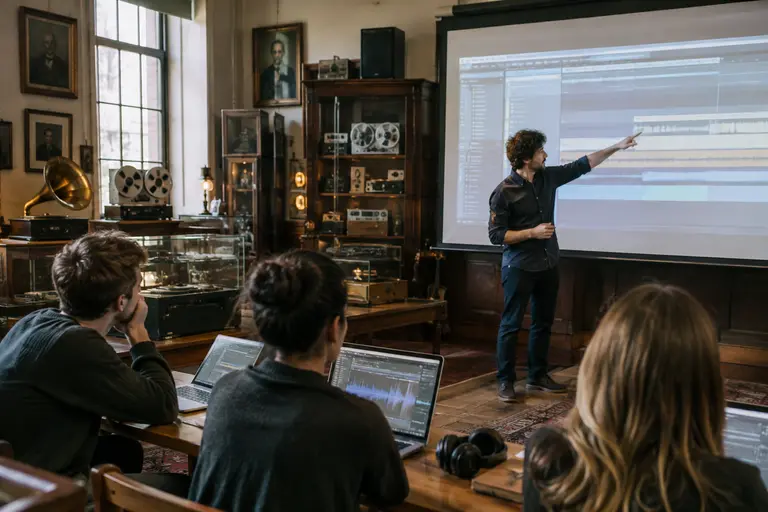
A useful classroom exercise is to give students one short self-recorded performance and ask them to create three layers: a separated or extracted analytical layer, a synthesized reinterpretation, and a final arrangement decision. The goal is not to prove that AI has solved arrangement work. The goal is to hear what the tool reveals, what it distorts, and what the producer still has to decide.
- Use only self-recorded or clearly licensed material for the exercise.
- Keep the original audio muted but available for comparison.
- Name every generated track according to the process that created it.
- Print a short audio bounce before and after tool-assisted edits.
- Write one sentence explaining what the human producer changed.
This structure keeps the session grounded. Students learn the feature, but they also learn documentation, restraint, and critical listening.
Software Tools And The Like New Question
The best Software Tools from late 2026 did not simply add buttons to DAWs. They changed what producers can inspect inside a recording: stems, chords, lyrics, gestures, expressive MIDI, and session-wide states. That is powerful, but power is not the same as authorship. A DAW can suggest, separate, translate, and label. The producer still has to decide what belongs in the work.
Framed through the phrase “Like New,” these updates are most useful when they help producers hear familiar material with sharper attention. A separated drum stem can reveal groove structure. A chord extraction can expose a harmonic shortcut. A lyric transcription can catch a weak phrase. An MPE pass can make a synth part respond with more human detail. The responsible tutorial does not sell these features as magic. It teaches students to compare, document, question, and then commit only the choices that serve the track.